

Packaging Chat: How to Answer Product Questions After a QR Code Scan
A customer holding your product may have one precise question: how to store it, how to use it or where to find its ingredients. Packaging Chat adds a conversation to the product page reached from your packaging QR code.
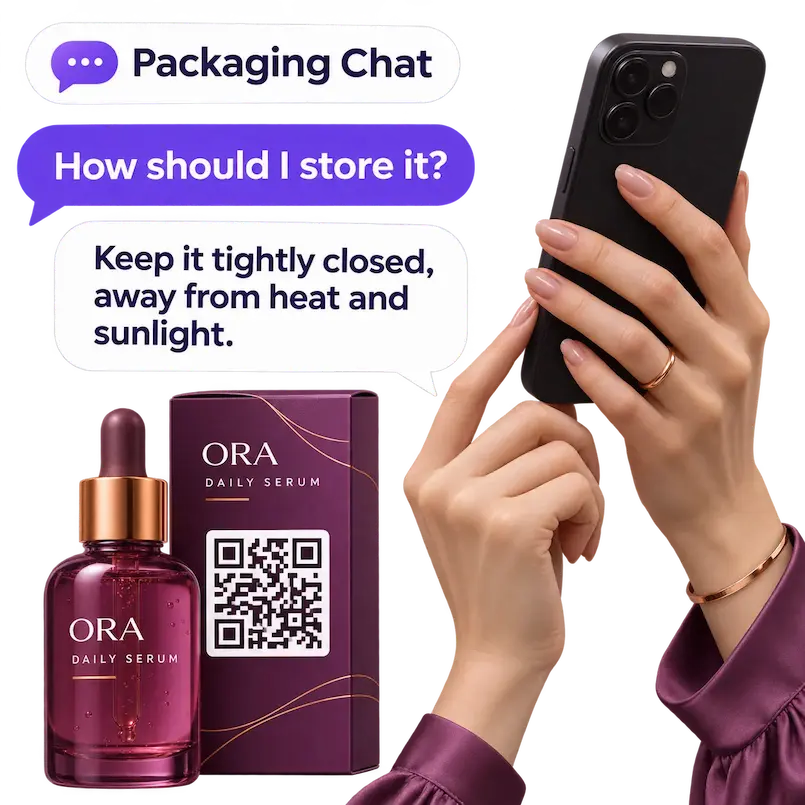
1. Connect the question to the right product
The journey starts on the pack: the customer scans its QR code, opens the product page and asks a question through the assistant. The printed code provides the link; the digital page provides the information and conversation.
A useful assistant stays focused on the product in front of the visitor. A different formula, size or variant can have different instructions. Check that every printed code opens the intended page before distributing the packaging.
Simple journey: scan the packaging → open the product page → ask a product question.
2. Prepare the information before the conversation
Start with a reviewed product record: description, ingredients or materials, directions, storage instructions and relevant precautions. Add clear answers to the recurring questions your team already receives. Keep the original label and approved documents available for comparison.
Separate confirmed facts from marketing language. A phrase such as “made with natural ingredients” does not establish an ingredient’s exact percentage or prove suitability for every user. When information is missing, the answer should acknowledge the gap and direct the visitor to the brand.
The editor is the starting point; test the public page to confirm which content is actually available to the assistant. Do not assume that every uploaded document or image is automatically read.
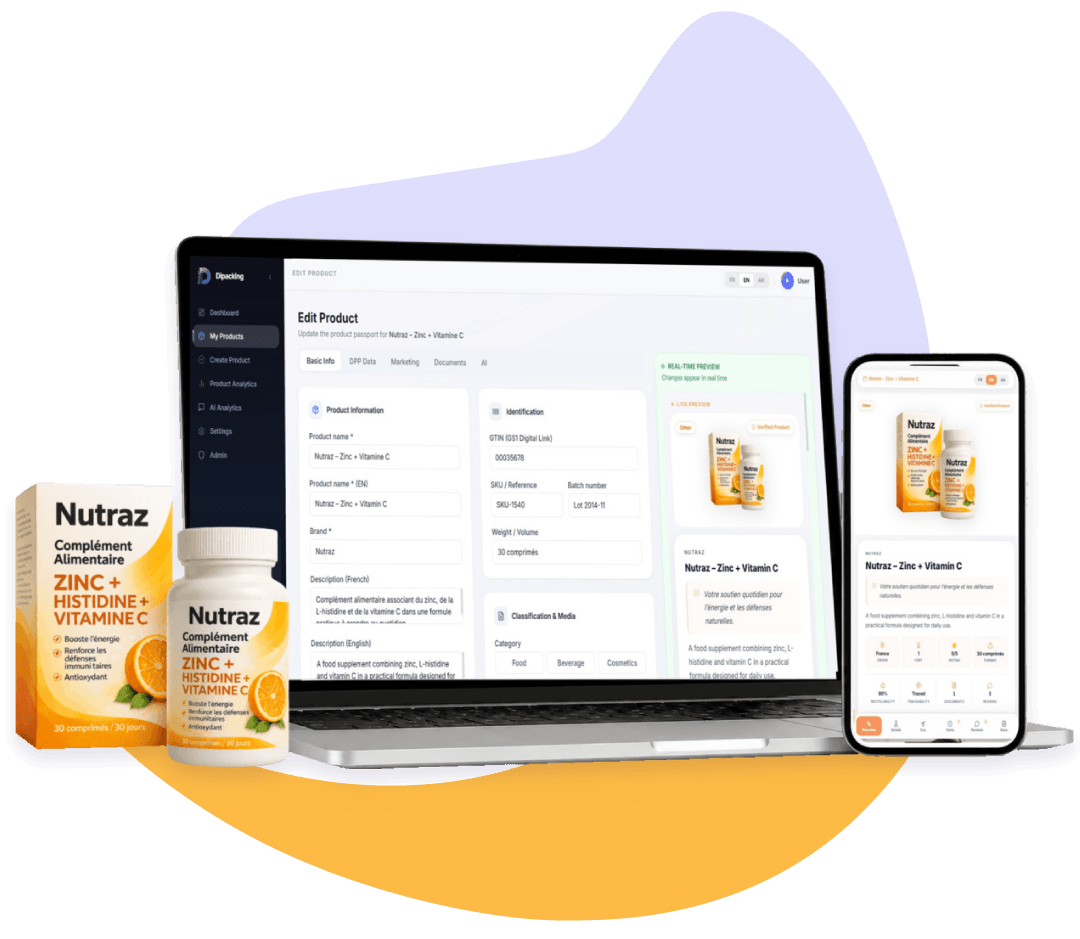
3. Use concrete customer questions
Build your first test around questions customers would naturally ask, rather than a list of promotional prompts:
- Food: “Where can I find the ingredients?” or “What storage instructions are provided?”
- Cosmetics: “How should I apply this product?” or “Where is the complete ingredient list?”
- Home care: “Which surfaces is this product intended for?” or “What precautions are stated?”
These are test examples, not claims about a particular product. A storage answer for one serum must never become a rule for every serum. Questions about allergies, adverse reactions or personal health need particular care: an assistant should not invent a safety assurance.
For examples of useful source content, see our guides to QR codes on cosmetic packaging and QR codes on food packaging.
4. Check answers, languages and missing information
Run a small review before launch. Ask a normal question, rephrase it, then ask about something absent from the product record. Compare each answer with your validated source and note anything that needs correction.
- Does the answer refer to the correct product and variant?
- Are quantities, units and usage instructions reproduced accurately?
- Does it acknowledge information that has not been provided?
- Do supported languages preserve the same meaning?
- Can a visitor still read essential information without opening the chat?
Retest after changing important product content. For language planning, read multilingual product information with one QR code.
5. Turn recurring questions into clearer content
Review the questions available in your reporting to identify repeated topics: an unclear instruction, an ingredient people cannot locate or missing storage information. Use these observations to improve the product page and its FAQ.
Question counts show interactions, not confirmed purchases or a list of identified prospects. A customer may ask several questions, and many visitors may never open the assistant. Avoid treating chat activity as proof that sales have increased.
Keep a simple review log with the question, the content gap, the correction and the date checked. Our guide to updating product information without reprinting packaging explains how to maintain the destination behind a stable printed link.
6. Start with one product in Dipacking
Dipacking brings a product page, Packaging Chat and interaction reporting into the same packaging experience. Start with one well-documented product and a short set of questions your customers already ask.
Prepare the content, check the available assistant settings, test the public experience on a phone and then place the QR code with a clear invitation to scan. Confirm the AI allowance for your subscription and what visitors see if the allowance is reached.
Keep a contact route visible for questions that need your team. Packaging Chat complements the product information and customer support; essential instructions should remain easy to find on the page.
Frequently asked questions
Is Packaging Chat the same as a QR code?
No. The QR code opens a digital destination. Packaging Chat is the assistant visitors can use on the product page.
Can it answer a question if I have not supplied the information?
Do not rely on it to fill gaps. Provide validated product facts and test that missing information produces a clear limitation rather than an invented answer.
Does Packaging Chat replace the printed label?
Keep required information on the packaging and make essential instructions accessible on the page. Chat is an additional way to ask questions.
How can I tell whether it is useful?
Review recurring questions, check answer quality and look for information gaps you can fix. Measure enquiries and sales separately rather than equating questions with purchases.
Let customers ask about your product
Create a product page, prepare reliable information and test Packaging Chat with real customer questions.
Further reading
Dipacking features — product pages, Packaging Chat and interaction reporting.