

How to Update Product Information Without Reprinting Your Packaging
Your packaging may stay in circulation for months while your product content evolves. A QR code linked to an editable product page lets you update the digital experience without changing the code already printed on the pack.
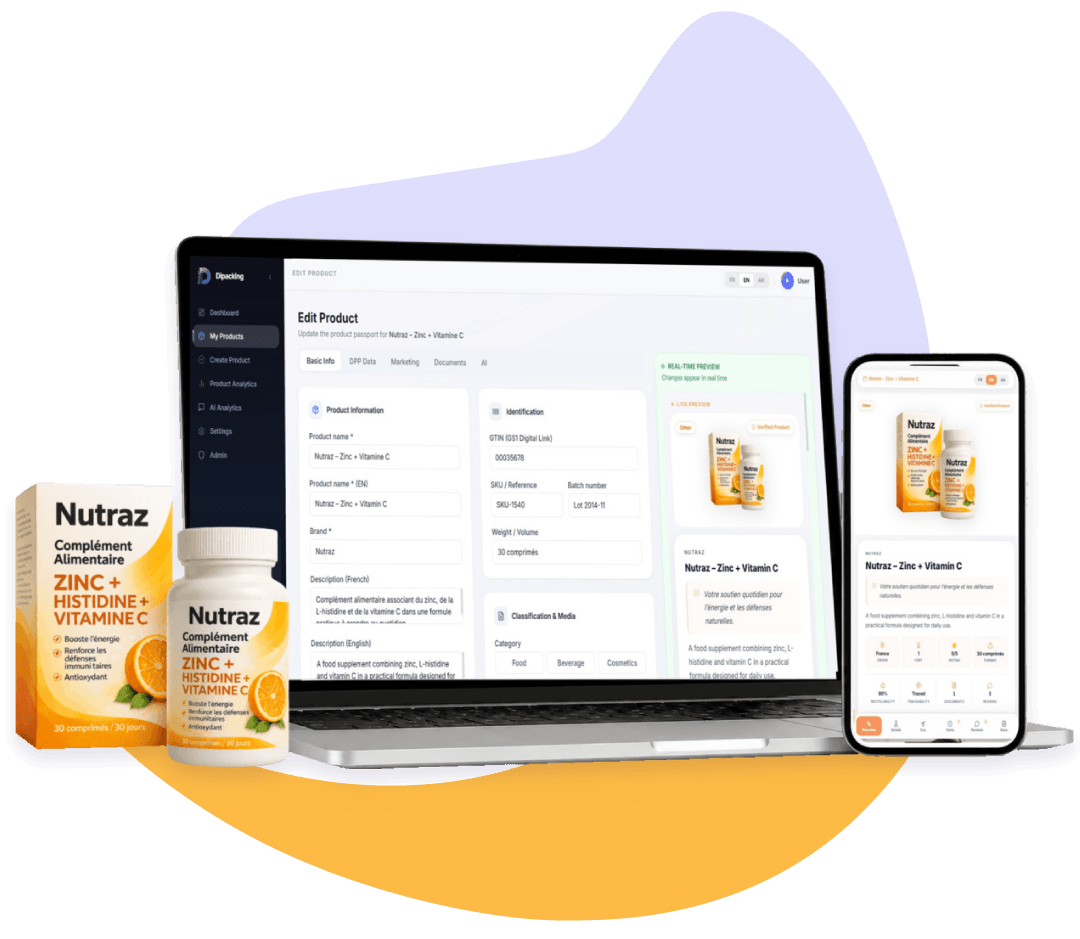
1. Understand what changes and what stays the same
A printed QR code contains data, often a web address. Once printed, its pattern cannot be edited. What you can update is the page at that address, provided you control it and keep it available.
This distinction matters when choosing a packaging link. A code that opens an editable product page can keep working while you add content to that page. A code that contains plain text does not become editable after printing. If it points directly to a PDF, replacing that file at the same address requires care and control of that address.
The principle: keep the printed link stable and update the relevant digital content behind it.
You do not necessarily need a redirect service to do this: an editable page at a stable address can be enough. A redirect can add flexibility, but introduces another service that must remain available.
2. Choose information that can be updated safely
Good candidates include an improved product photo, a clearer application video, a recipe, an additional language, a corrected link or answers to common questions. You can also replace an outdated document when the replacement applies to the same product version.
- Usage content: clarify existing instructions with a diagram or demonstration.
- Brand content: add a producer’s story or updated contact details.
- Helpful resources: publish a relevant guide or replace a broken download.
- Language content: add reviewed translations while keeping all versions consistent.
Updating a digital page does not change the physical product or the statements on its label. Do not use an online edit as a substitute for any packaging or market requirements that apply to your product.
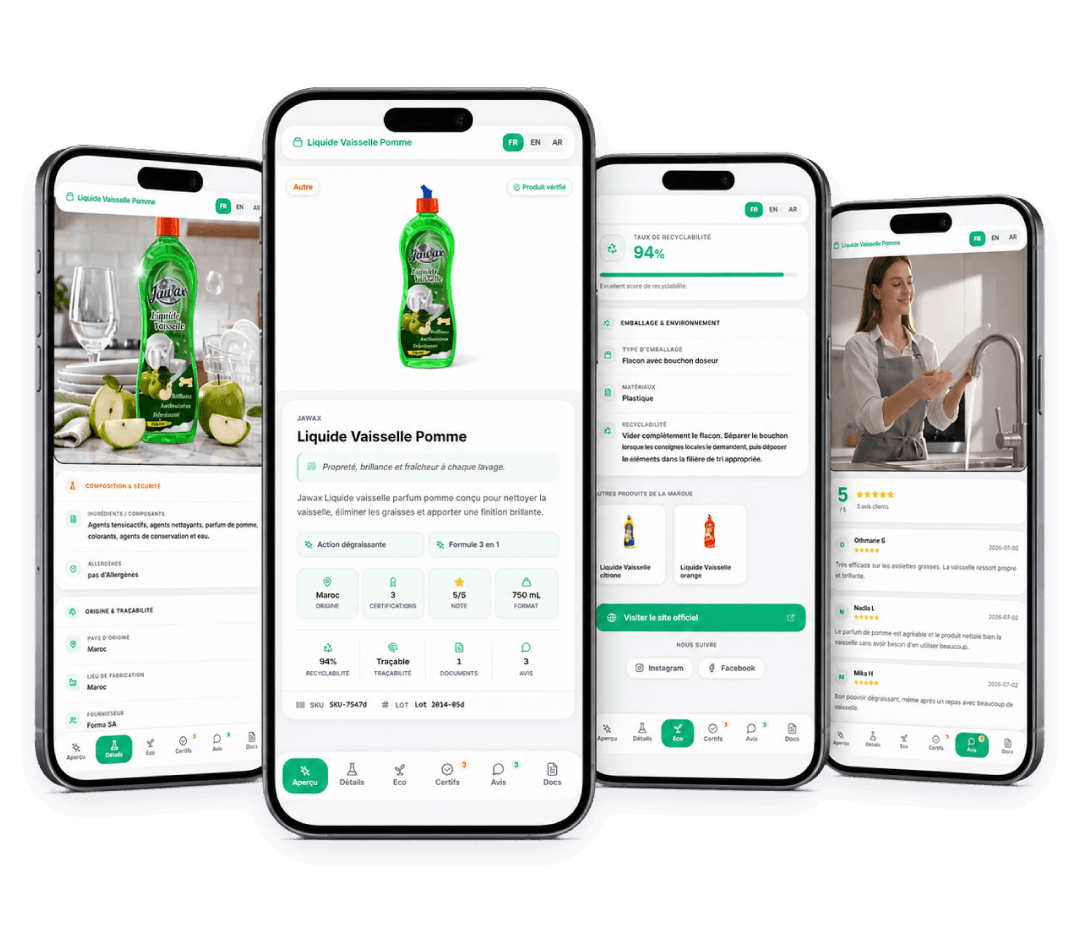
3. Follow a simple editing and checking workflow
Before editing, scan a real pack and record its destination. Confirm the product, size and variant. Then save a copy of the current text and documents outside your publishing tool so you can restore them if needed.
- Identify exactly what should change and who will check it.
- Edit the product page, including the relevant language versions.
- Preview the text, images, links and documents on a small screen.
- Save or publish the change using your platform’s workflow.
- Scan the original printed pack again and check the public result.
Do not rely only on the editor preview. A public page can differ because of a missing publication step, access permissions or caching. If you still see old content, try a private browser window and check caching before changing the printed link.
4. Keep older packs linked to accurate information
A new formula, ingredient list or set of precautions needs more thought than a new photo. If old and new packs carry the same QR code and URL, that code alone cannot tell which version the customer holds.
Keep the information relevant to older stock available. Depending on your system and operational needs, this might mean separate product pages, a clearly labelled version selector or batch-aware links. These are design options to assess, not features to assume your platform already provides.
For example, improving a recipe suggestion for an unchanged sauce can be a routine content update. Changing the sauce’s allergen information after a reformulation requires identifying the affected product versions and checking the associated physical labels. Do not silently show the new formula to every visitor.
5. Protect the link for as long as packs remain in use
Content flexibility depends on continuity. Keep the domain and destination under control, maintain access to the publishing account and check what happens if you change provider or plan. Avoid deleting a product page while its packs are still being sold or used.
Before launch, confirm who owns the link, who can edit it and how long it will remain available. If you move a page, preserve the old address through an appropriate redirect where possible and test it from the printed pack. If you cannot control or preserve the original address, a new printed code may be necessary.
6. Apply the approach with Dipacking
Dipacking’s product-page features let brands edit digital product content without changing the printed QR code. Start with one product, make a small content improvement and scan an existing pack to verify the result.
Keep a simple change log: product, change, date and reviewer. Review related documents, translations and Packaging Chat source information when relevant. Do not assume every connected component has refreshed until you have checked it.
For sector examples, read our guides to QR codes on food packaging and QR codes on cosmetic packaging. Each should lead customers to information that matches the product they actually have.
Frequently asked questions
Can I update a QR code after it has been printed?
You cannot edit the printed pattern. You can update an editable destination page, or change a redirect you control, while keeping the encoded address unchanged.
Do I need to print a new code for every content change?
Not for a page update that keeps the printed address working. A new destination you cannot reach through the old link, or a need to distinguish product versions, may require a different approach.
Will an update reach every phone immediately?
Not necessarily. Publication steps and caching can delay what visitors see. Check the public page on another device or in a private window after each important change.
Does the QR code remain usable forever?
That depends on continued availability of the domain, destination and any services involved. Check the provider’s terms and maintain those resources for as long as customers need them.
Keep your product content useful after printing
Create a product page you can review and update while keeping a stable link from the pack.
Explore the platform
Dipacking features: editable product pages, QR codes and digital content.