

How to Offer Multilingual Product Information with One QR Code
A customer should not need to understand your brand’s main language to learn about a product. One packaging QR code can open a digital experience where visitors choose from the languages you have prepared.
1. Link the pack to one product, then offer languages
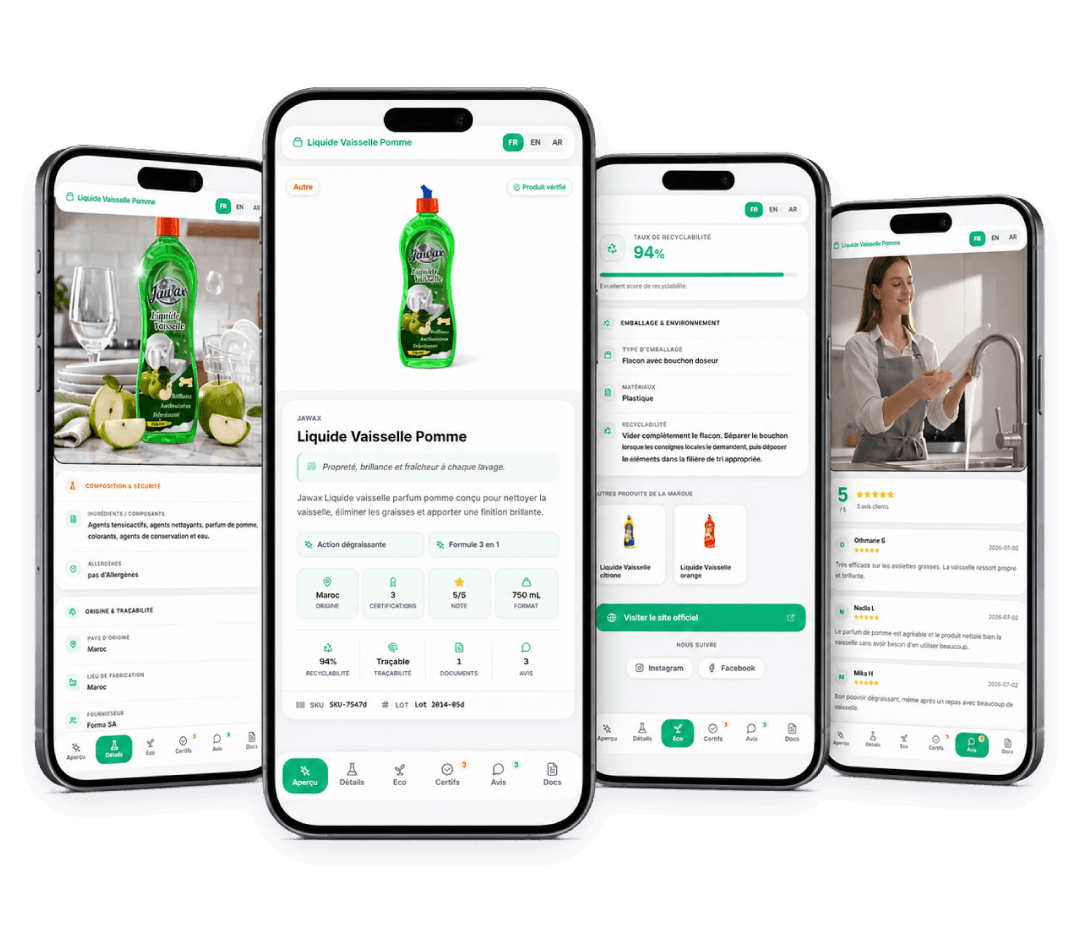
The printed QR code can contain a single web address. The destination page, rather than the printed pattern, provides access to the language versions. Switching language should keep the visitor on the same product and variant.
For example, a fictional skincare brand serving French-, English- and Arabic-speaking customers can use one product link with three reviewed versions. This does not mean every market can use identical packaging: check the requirements for the physical label separately.
One printed link, several prepared versions: the QR code opens the experience; the page handles language access.
2. Choose languages based on your customers
Start with the languages your customers need and your team can maintain. Three complete, accurate versions are more useful than ten partly translated ones. A country and a language are different choices: customers in the same country may prefer different languages.
For each language, prepare the product name, description, usage instructions, relevant precautions and navigation labels. Include image text, video captions and document names in your review. A translated interface with an untranslated product description is not a complete multilingual experience.
3. Make language switching easy to find
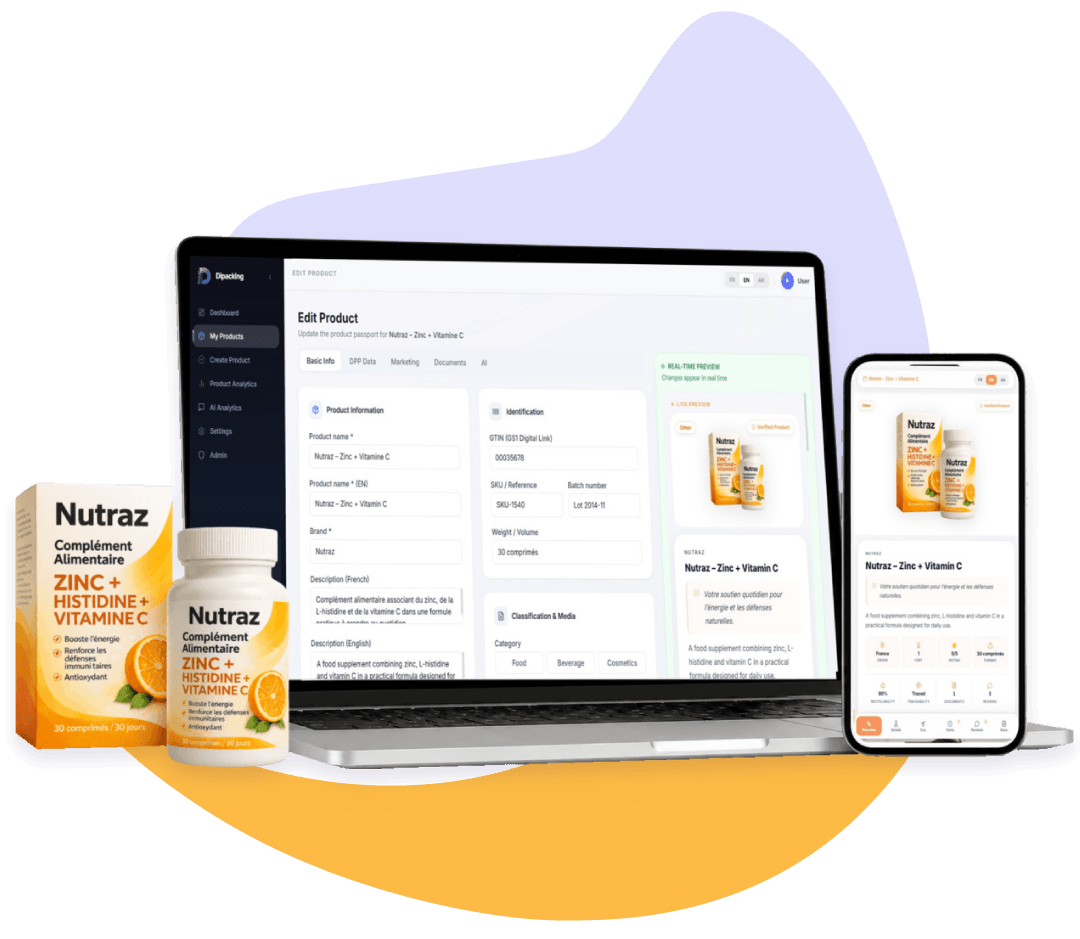
Place a visible language control near the beginning of the page. Display each language in its own name, for example English, Français and العربية. Do not rely only on flags to communicate language choices.
If your system suggests a language from the browser settings, keep a manual choice available. Browser language is a preference signal, not proof of where the person lives or what they understand. Automatic detection is a configuration to verify, not something a QR code supplies by itself.
For a language you do not offer, use a clear fallback to an available version. Avoid buttons that open empty pages or silently send the visitor back to the homepage.
4. Translate the meaning and check product accuracy
Use a validated source version before translating. Keep ingredient names, units, product references and document versions consistent. A reviewer should check important product instructions and precautions rather than publishing an unreviewed machine translation.
Adapt dates, number formats and terminology where necessary, without changing the meaning. For Arabic, check right-to-left layout as well as the words: punctuation, mixed Latin product names, buttons and tables can become difficult to read if their direction is wrong.
Language and market suitability are separate. A translation alone does not establish that a product claim or document is appropriate for every market where that language is spoken.
5. Test the whole journey from the printed pack
Scan a real pack with different phones. Choose each language and confirm that the product, variant and content remain correct. Check long headings, line breaks, button labels, captions and downloadable files on a small screen.
- Can someone find the language control without scrolling through the entire page?
- Does each choice open the equivalent product content?
- Are documents clearly labelled when they are available in only one language?
- Are videos usable without understanding an untranslated voice-over?
- If Packaging Chat is available, do answers in each supported language stay consistent with the source information?
A mixed-language product name may be intentional. An untranslated warning or a broken language link needs attention before launch.
6. Keep every language up to date
When the source content changes, identify every translation and document affected. Keep a simple table with the product, language, reviewer and last review date. Do not assume an edit to one language updates all others.
Dipacking’s features include multilingual product experiences in English, French and Arabic. Check the languages available in your configuration and test the public result for your own product before printing.
Read our guide to updating product information without reprinting packaging for a content-maintenance workflow. For examples of what to translate, explore our guides to cosmetic packaging and food packaging QR codes.
Frequently asked questions
Do I need a different QR code for each language?
Not when the destination page offers the language versions for the same product. One printed address can provide access to that multilingual experience.
Does a QR code translate my product automatically?
No. The destination platform must provide the translated content and language controls. Any automatic translation still needs an appropriate review.
Can I add a language after printing?
Yes, if your destination supports adding it while keeping the printed address working. Prepare and test the new content before making the language available.
Can multilingual digital content replace the printed label?
Do not assume so. Digital content can complement the pack; physical labelling requirements need to be checked for the product and market.
Make your product information easier to understand
Start with one product and the languages your customers need. Prepare, review and test the experience before expanding it.
Further reading
W3C Internationalization — language selection and links to localized content.